
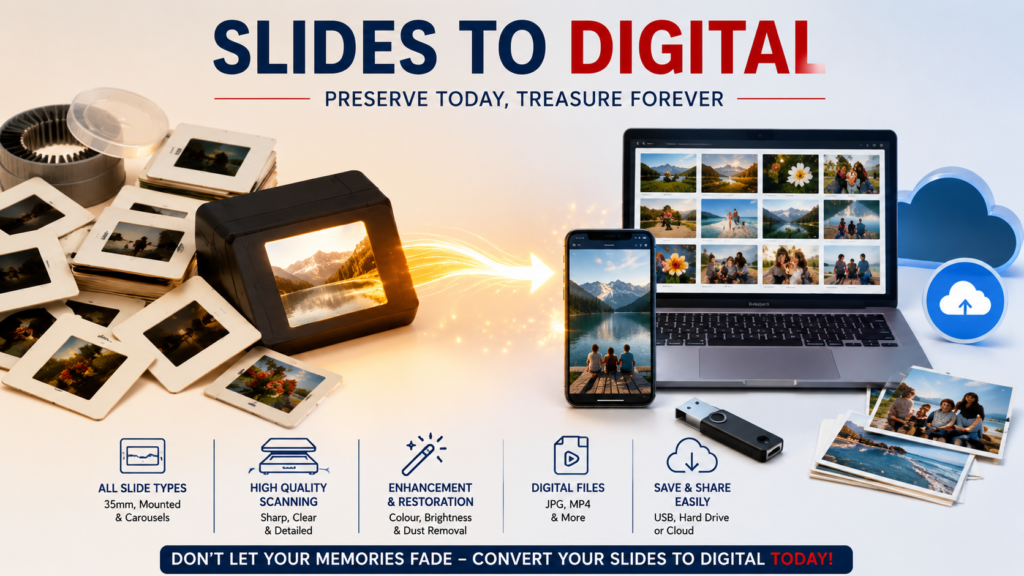
You open a dusty shoebox. Inside, dozens — maybe hundreds — of small plastic-framed squares catch the light. Slides. Your parents’ wedding. Your childhood holidays at the beach. A relative’s face you barely remember. These tiny windows into the past hold some of the most irreplaceable moments of your family’s history.
But here’s the uncomfortable truth: those slides are slowly dying.
Converting your slides to digital is no longer just a nice-to-have — it’s an urgent act of preservation. And if you’ve been putting it off, this article will show you exactly why now is the time to act, what the process looks like, and how to ensure your memories survive for generations to come.
What Does “Slides to Digital” Actually Mean?
When we talk about converting slides to digital, we mean taking your physical photographic slides — those small transparent film images typically housed in cardboard or plastic mounts — and transforming them into high-resolution digital image files you can store, view, share, and print.
The original slides were captured on film using slide cameras popular from the 1950s through to the late 1990s. Unlike standard photo prints, slides were designed to be projected onto a screen using a slide projector — giving them extraordinary colour depth and sharpness that standard prints of the era couldn’t match.
That’s exactly what makes digitising them so rewarding. When professionally scanned, slides reveal detail and vibrancy that will genuinely take your breath away.
The Hidden Threat to Your Slides (And Why Time Is Running Out)
Photographic slides are made from cellulose acetate or polyester film — materials that, while durable compared to older photo formats, are far from permanent. Several forces are working against your slides right now:
Colour Fading
The dyes used in photographic film break down over time, especially when exposed to light, heat, or humidity. Yellowing, cyan shifts, and washed-out skies are telltale signs of a slide that has already begun to fade.
Vinegar Syndrome
As acetate film degrades, it releases acetic acid — producing a vinegar-like smell and causing the film to shrink, warp, and become brittle. Once vinegar syndrome sets in, it accelerates rapidly, particularly in warm or humid storage conditions.
Mould and Fungal Growth
Slides stored in garages, attics, or damp cupboards are highly susceptible to mould. Fungal growth etches itself permanently into the film emulsion, causing irreversible damage that even professional restoration can only partially address.
Physical Handling Damage
Every time a slide is handled, loaded into a projector, or sorted through, microscopic scratches accumulate. Over decades, this builds up into visible degradation.
The cruel irony is that most Australians still have boxes of slides sitting in storage, assuming they’re “safe enough for now.” The reality is that every passing year increases the risk of permanent loss.
Why Professional Slides to Digital Conversion Beats DIY
Walk into any electronics store and you’ll find consumer-grade slide scanners for under $200. They seem like a tempting shortcut. But there’s a significant gap between what these devices promise and what they actually deliver — and it’s a gap that matters enormously when you’re dealing with irreplaceable memories.
Resolution: The Critical Difference
Consumer flatbed scanners typically top out at 1200–2400 DPI (dots per inch) for film. That might sound adequate until you consider that a 35mm slide, scanned at that resolution, produces an image roughly equivalent to a 2–4 megapixel photo — barely enough for a 4×6 print.
Professional slide scanning services use dedicated film scanners capable of up to 9600 DPI, producing files large enough to print poster-sized without loss of detail, archive at archival quality, or zoom deep into an image and still see your grandmother’s expression clearly.
Colour Accuracy and Restoration
Professional scanning includes colour profiling, meaning the scanner is calibrated to reproduce the original film’s colour characteristics accurately. Combined with manual colour correction and enhancement by trained technicians, the result is a digital image that often looks better than the slide did when it was new.
Consumer scanners, by contrast, produce flat, uncorrected scans with colour casts that require significant post-processing knowledge to fix — knowledge most people simply don’t have.
Dust and Scratch Removal
Professional services apply digital ICE (Image Correction and Enhancement) or equivalent technologies that detect and remove dust particles and surface scratches automatically during the scan — not as an afterthought.
Trying to remove dust manually in post-processing is enormously time-consuming and rarely produces results as clean as professional scanning.
What Types of Slides Can Be Converted to Digital?
Many people assume “slides” means only the familiar 35mm format. In reality, several formats were widely used throughout the twentieth century, and a professional slide scanning service should handle all of them:
35mm Slides — The most common format by far, used in cameras from the 1950s onward. These are the slides most Australians have in storage. When professionally scanned, they produce stunning, high-detail digital images.
127 Slides — A slightly larger format popular in the mid-century era, offering even more detail per frame due to the larger film area. These are less common but should be handled with the same care and attention.
126 Slides — Designed for Kodak Instamatic cameras in the 1960s and 70s. These square-format slides were enormously popular with families during that era, making them a common find in Australian homes.
110 Slides — A compact format from Kodak’s Pocket Instamatic range, these small slides require precision scanning to recover maximum detail from their smaller film area.
Super 35mm and Super 127 Slides — Enhanced versions of the standard formats, offering a larger exposure area and therefore more detail per frame.
Medium Format Slides (120/220) — Used by professional and serious amateur photographers, these larger slides contain extraordinary amounts of detail and benefit enormously from ultra-high-resolution scanning.
Half-Frame Slides — Produced by cameras that exposed two images per standard 35mm frame, these require specialised scanning equipment and handling.
The Professional Slides to Digital Process: What to Expect
Understanding what happens when you send your slides to a professional service helps you make an informed decision and know what questions to ask.
Step 1: Secure Packaging and Delivery
Your slides should be packed carefully in protective sleeves or their original slide boxes, cushioned inside a sturdy outer box, and sent via tracked postage — Registered Post or Express Post — or dropped off in person.
At Document Production Australia, our Clayton office (Building 4, L2, Suite 45, 195 Wellington Road, Clayton VIC 3168) accepts drop-offs directly, giving Melbourne-based customers peace of mind that their irreplaceable slides are in safe hands from the moment they arrive.
Step 2: Arrival Confirmation
Once received, your slides are logged and you receive an email confirmation so you know your package has arrived safely and scanning is underway.
Step 3: Professional Scanning
Each slide is individually scanned at high resolution using professional film scanning equipment. Dust removal, colour correction, brightness adjustment, and contrast optimisation are applied during the scanning process.
Output formats include JPEG (ideal for sharing and everyday viewing), TIFF (for archival-quality files with no compression), and PDF — delivered on USB drive, DVD, or securely via cloud.
Step 4: Quality Review
A trained technician reviews scanned images to check colour accuracy, sharpness, and overall quality before your order is finalised.
Step 5: Invoice, Payment, and Return
Once your order is complete, you receive an invoice with clear, transparent pricing. Your original slides are carefully repacked and returned to you along with your digital files — with full tracking provided.
5 Ways to Use Your Slides Once They’re Digital
Converting slides to digital doesn’t just preserve them — it opens up a world of possibilities that were simply impossible with physical slides:
1. Create a Family Photo Book High-resolution scans are ideal for professionally printed photo books. Services like Shutterfly, Momento, or Snapfish can produce beautiful hardcover books from your digital files — perfect gifts for parents, grandparents, or for passing down to children.
2. Share Instantly with Family Across Australia (and the World) Once digital, your photos can be shared instantly with relatives anywhere. A Google Photos album or private Facebook group can bring families together over shared memories regardless of geography.
3. Restore and Enhance Images with AI Tools Modern AI photo restoration tools like Topaz Photo AI or Adobe Lightroom can further enhance your professionally scanned images — sharpening faces, recovering shadow detail, and even intelligently colourising black-and-white images.
4. Create Video Slideshows Digital files can be assembled into narrated video slideshows — a meaningful way to document family history, celebrate milestone birthdays, or preserve heritage for future generations.
5. Print and Frame Your Favourites A professionally scanned 35mm slide at 9600 DPI produces a file large enough to print at A1 size without visible loss of quality. That family holiday photo from 1974 can become a stunning large-format print on your wall.
Frequently Asked Questions About Slides to Digital Conversion
How long does slide scanning take? Turnaround time depends on the volume of slides. At Document Production Australia, we prioritise efficient processing so you receive your digital files as quickly as possible. For specific timeframes, contact us directly on (03) 8518 8886.
What resolution should I choose for slides to digital conversion? For general viewing and sharing, 2400–4800 DPI produces excellent results. For archival purposes, large prints, or slides with significant historical or professional value, 9600 DPI is recommended. When in doubt, scan at the highest available resolution — storage is cheap; rescanning is not.
Can damaged slides still be scanned? Yes, in most cases. Slides with mild to moderate fading, dust, or minor scratches can be scanned and digitally restored. Severely physically damaged slides (broken mounts, deep scratches, significant mould) may have limitations, but professional scanning will always recover as much detail as possible.
What happens to my original slides? Your original slides are returned to you securely after scanning. At Document Production Australia, we treat every item with care and confidentiality.
Are slides better quality than prints? In many cases, yes. Slides were captured directly on film without an intermediate print step, preserving more of the original detail and colour range. Professionally scanned slides often reveal sharpness and colour that the original prints couldn’t match.
How do I know if my slides are still worth scanning? If you can hold a slide up to a light source and still see a recognisable image — even if faded — it is worth scanning. Professional colour correction can often recover far more than you’d expect from the naked eye.
The Right Time to Convert Slides to Digital Is Right Now
Every year you wait is a year your slides spend degrading. Fading dyes don’t recover. Vinegar syndrome accelerates. Mould spreads. And the people who remember what was in those slides — and why it mattered — aren’t here forever either.
Converting slides to digital is one of those tasks that feels non-urgent until suddenly it’s too late. The good news is that professional slide scanning is more accessible, more affordable, and more capable than ever before.
At Document Production Australia, we’ve helped countless Melbourne families and businesses preserve their photographic history with professional, high-resolution slide scanning across every major format — 35mm, 127, 126, 110, Super 35mm, Super 127, medium format 120/220, and half-frame slides.
Our team handles every slide with care, delivers digitised files in your preferred format, and returns your originals safely.
Ready to Convert Your Slides to Digital?
Don’t let another year go by. Contact Document Production Australia today to discuss your slide scanning needs.
 (03) 8518 8886
  clayton@dpaust.com
  Building 4, L2, Suite 45, 195 Wellington Road, Clayton VIC 3168
Or fill out our Slides Conversion Order Form and email a copy to us so we can anticipate your parcel’s arrival.
Your memories deserve to last forever. Let us help make that happen.
Document Production Australia — Your Partner in Comprehensive Document Solutions. Services: Slide Scanning | Negative Scanning | Photo Scanning | Video Tape Conversion | Audio Tape Conversion | Document Production | Mail Processing